
Copy in order.
Paste in order.
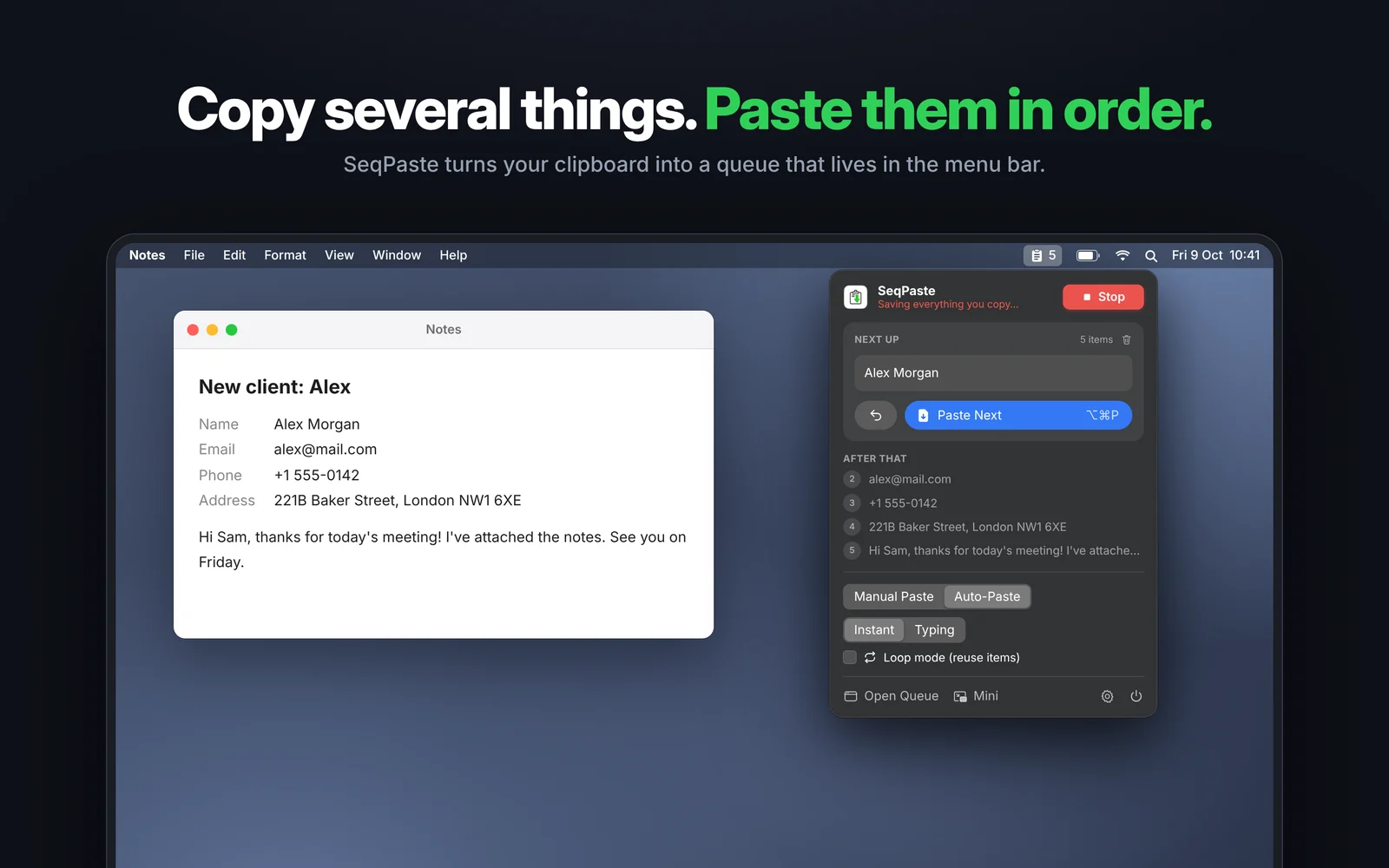
SeqPaste is a clipboard queue for Mac. Copy several things, then paste them back one by one, in exactly the same order. Perfect for forms, coding videos and live demos.
Three steps. Zero switching back and forth.
Press Start
Click Start in the menu bar, or use the shortcut, to begin saving what you copy.
Copy a few things
Copy as usual. Every item lines up in the queue, in the order you copied it.
Paste them in order
Press one shortcut again and again. The next item is pasted each time.
Fill in forms
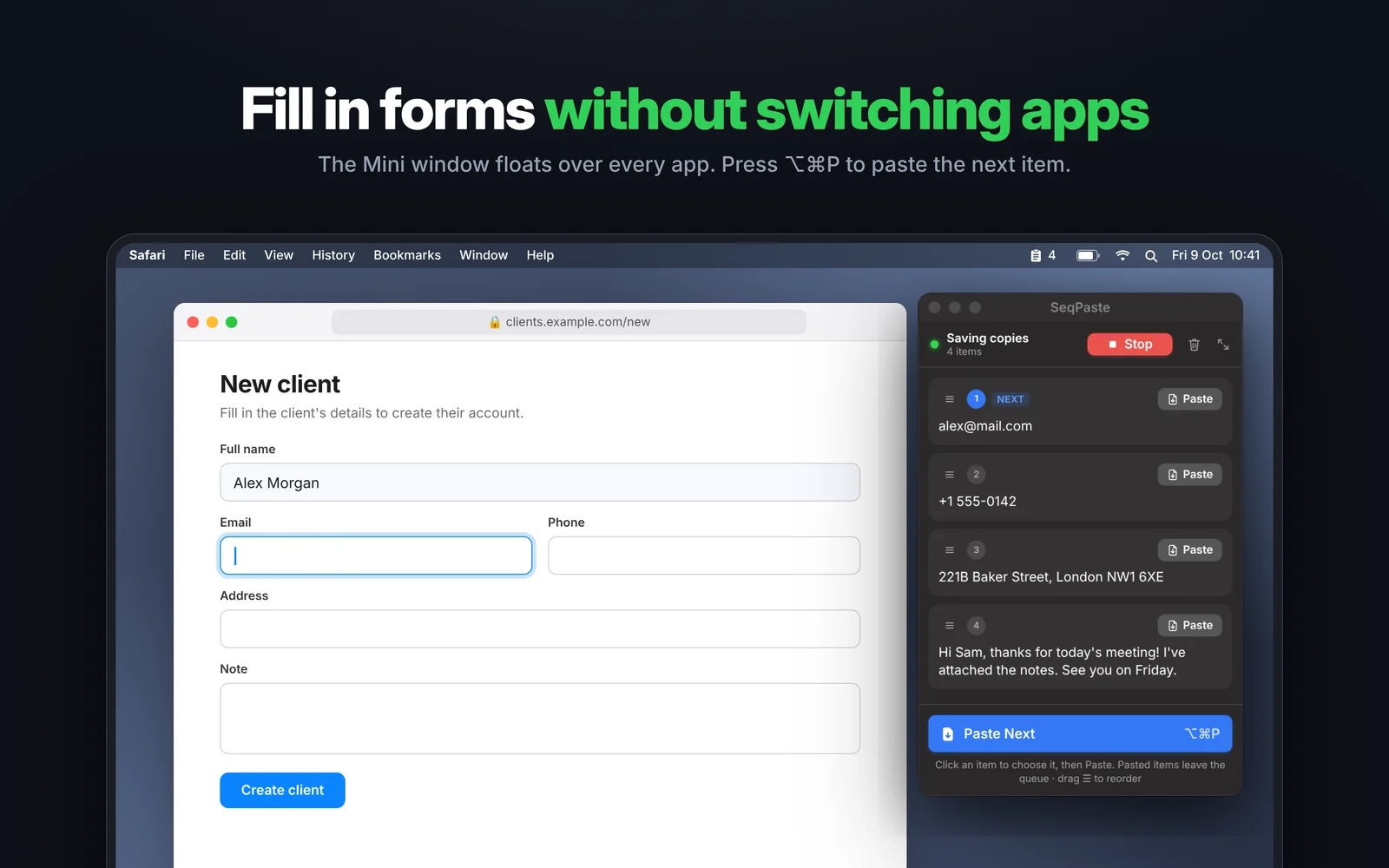
Name, email, phone, address: one field after another, without switching apps.
Coding videos
Prepare snippets before recording, then let SeqPaste type them out live. No typos.
Demos & talks
No fumbling on stage. Every value is ready, in the right order.
Writing & research
Collect quotes and links, then drop them into your document in order.
Everything you copied, always at hand.
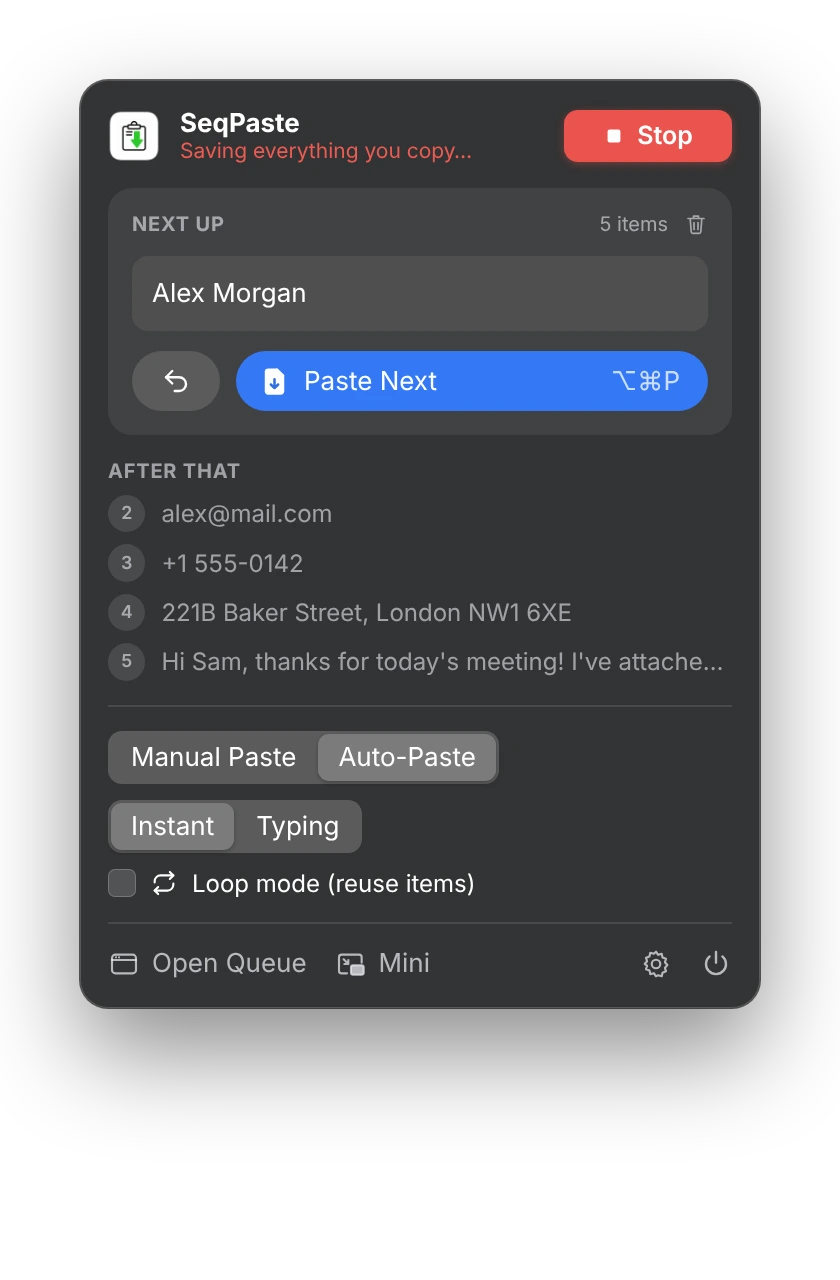
Use SeqPaste from the menu bar, a small floating window, or the full queue window.
Lives in your menu bar
See what's next, paste it, switch modes, and start or stop, all from one click in the menu bar.
- Next item always visible
- Step back if you paste the wrong one
- Instant paste or live typing
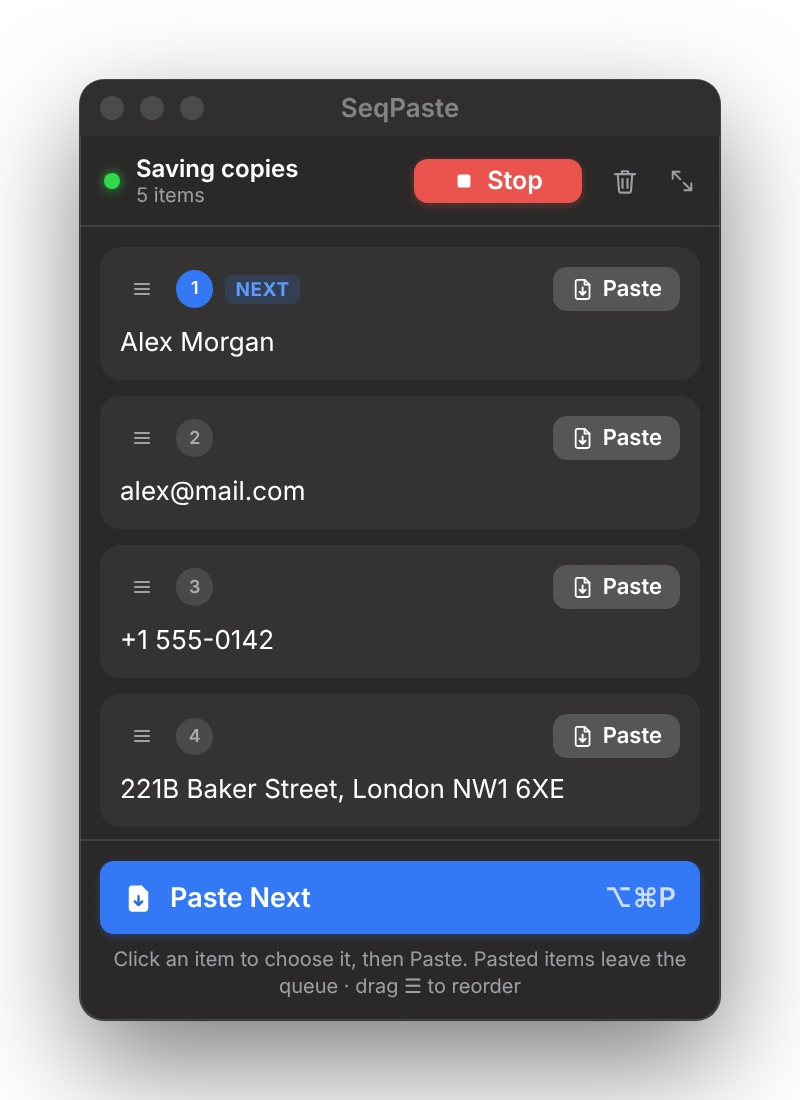
A mini window that floats on top
The Mini window stays above every app without stealing focus. Paste the next item, or click any item to paste it right away.
- Drag ☰ to reorder
- Pasted items leave the queue
- Perfect next to a web form
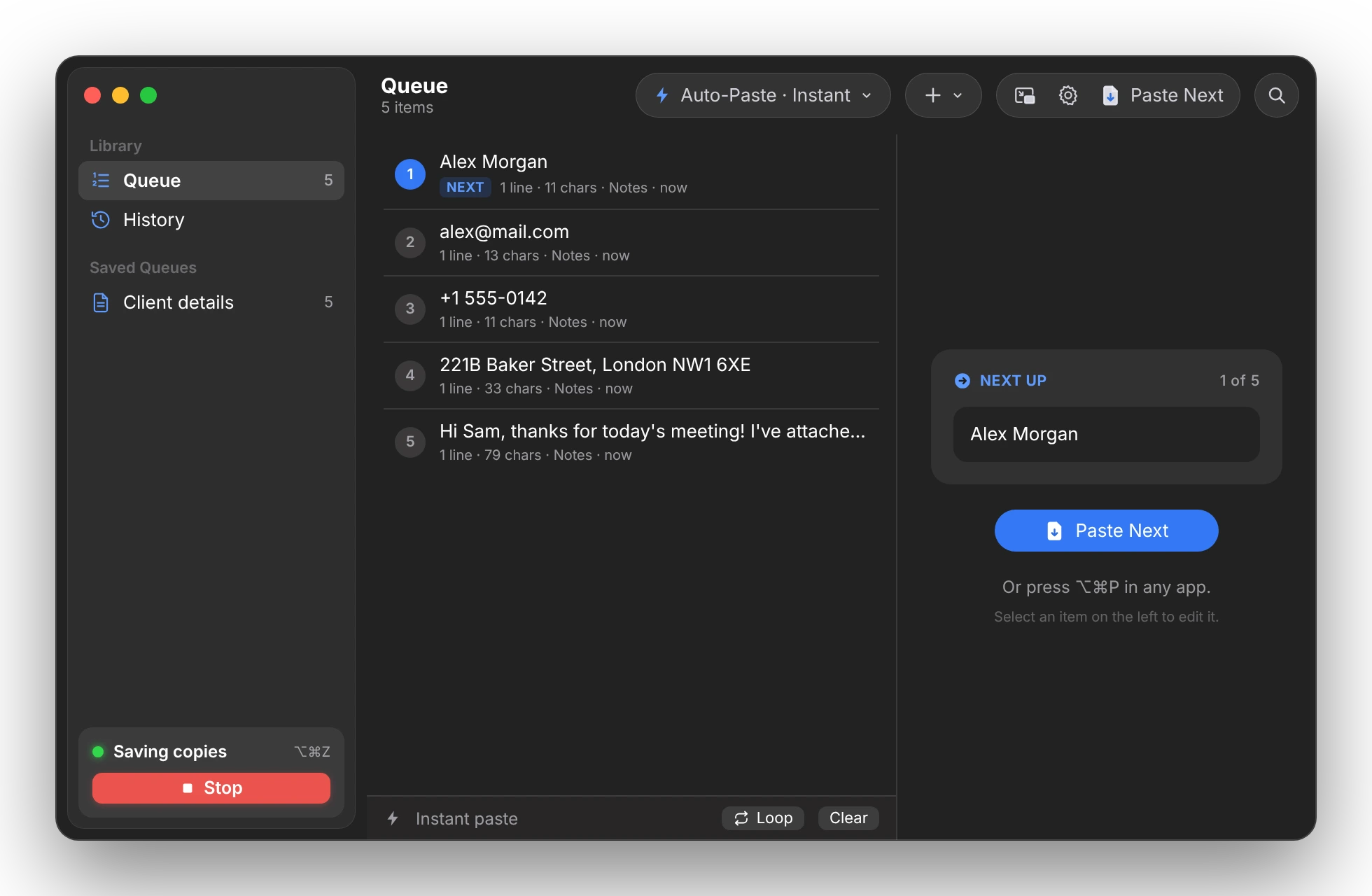
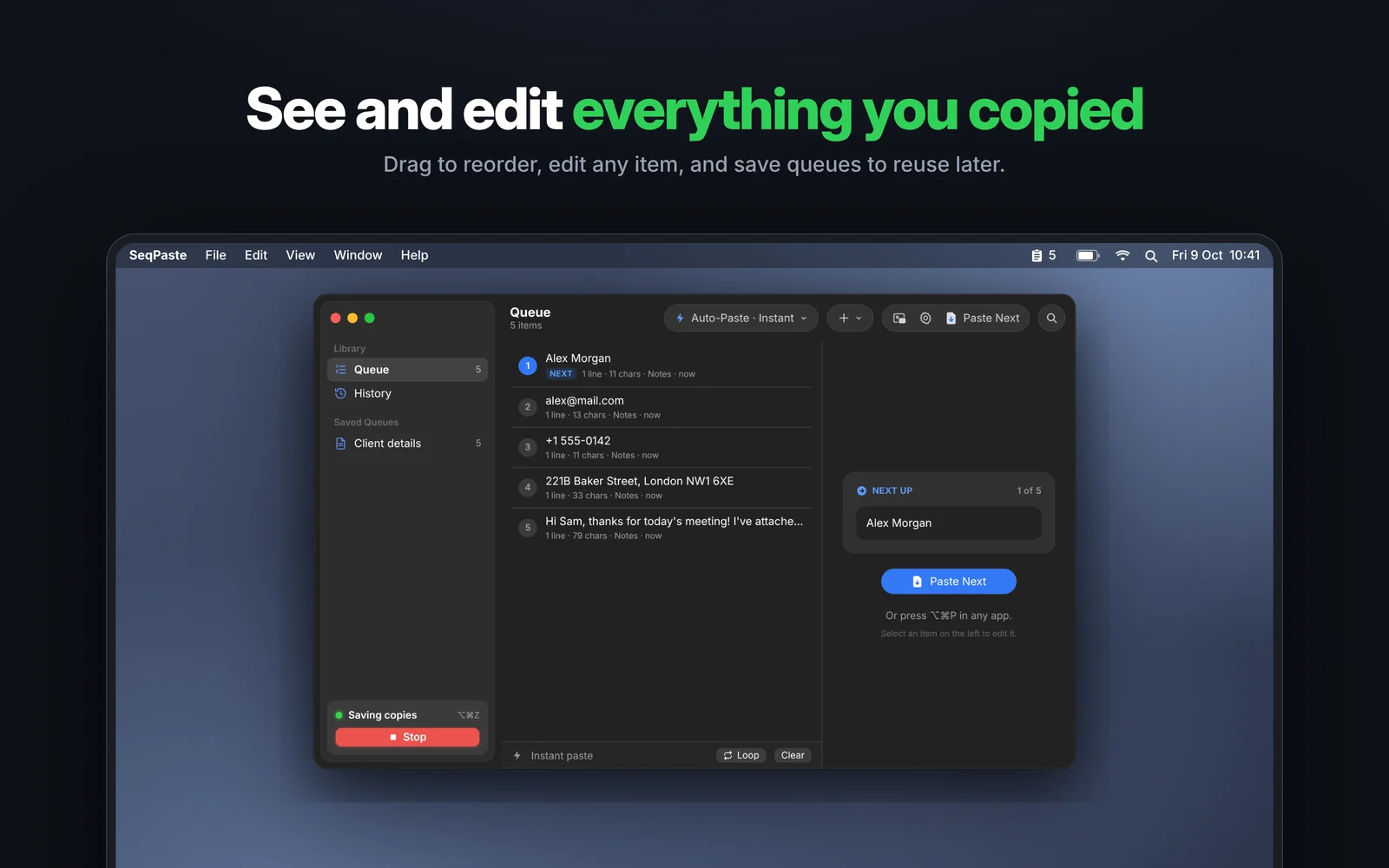
See and edit everything you copied
The queue window shows every item with search, history and saved queues you can reuse for demos you give often.
- Edit any item before you paste
- Save and reload queues
- Import a text file split into items
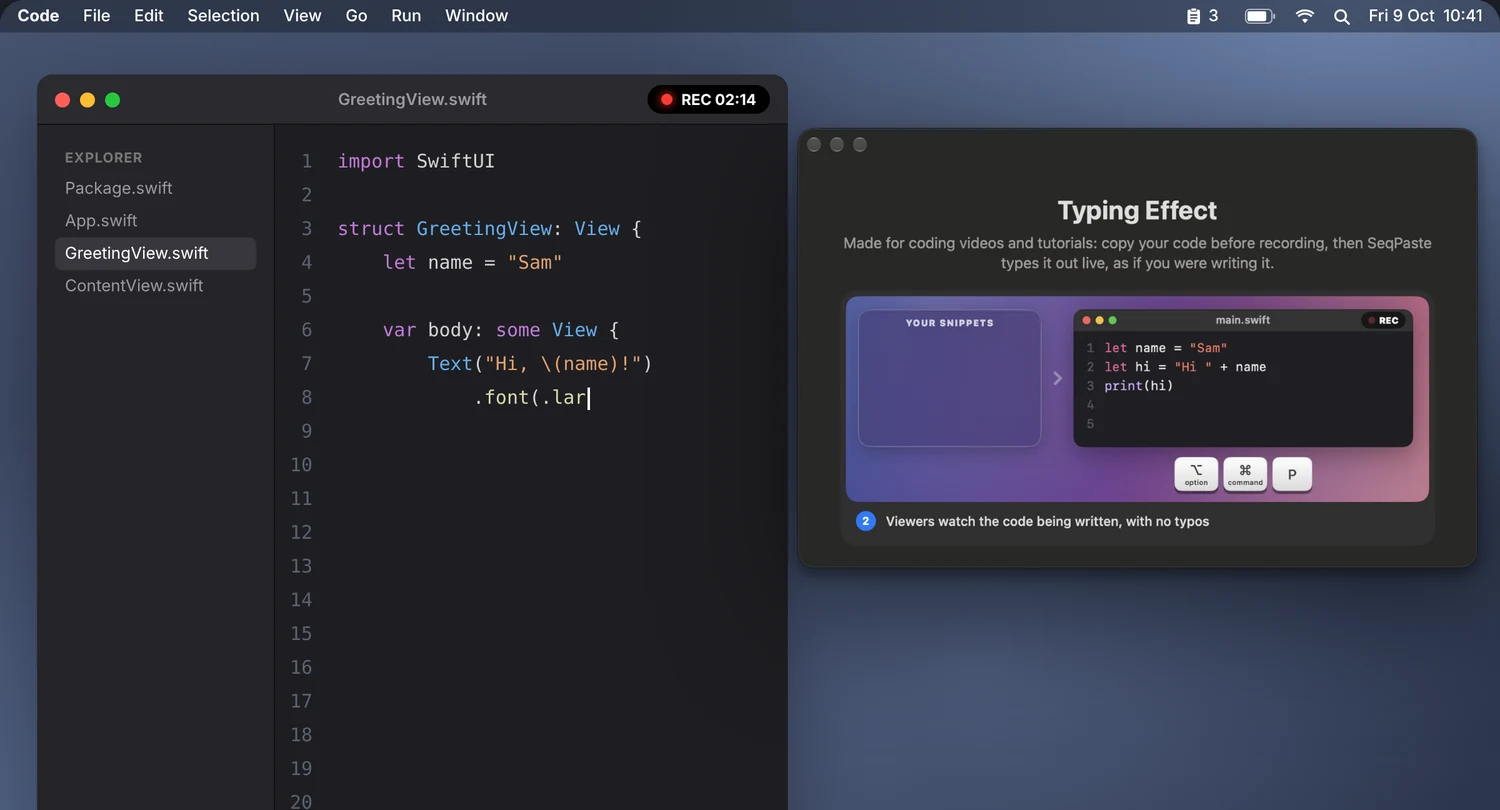
Your code types itself while you record
Copy your snippets before recording. While recording, SeqPaste types each one out character by character with a natural rhythm, so viewers watch the code being written with zero typos.
- Adjustable typing speed
- Human-like rhythm
- One shortcut per snippet
30 seconds is all it takes.
Made for the Mac.
Two ways to paste.
Auto-Paste
Press ⌥⌘P and the next item is pasted straight into the app you're using. Choose instant paste or live typing. Needs one macOS permission, explained clearly first.
Manual Paste
Press ⌃⌘L to load the next item onto the clipboard, then press ⌘V yourself. Works everywhere, right away.
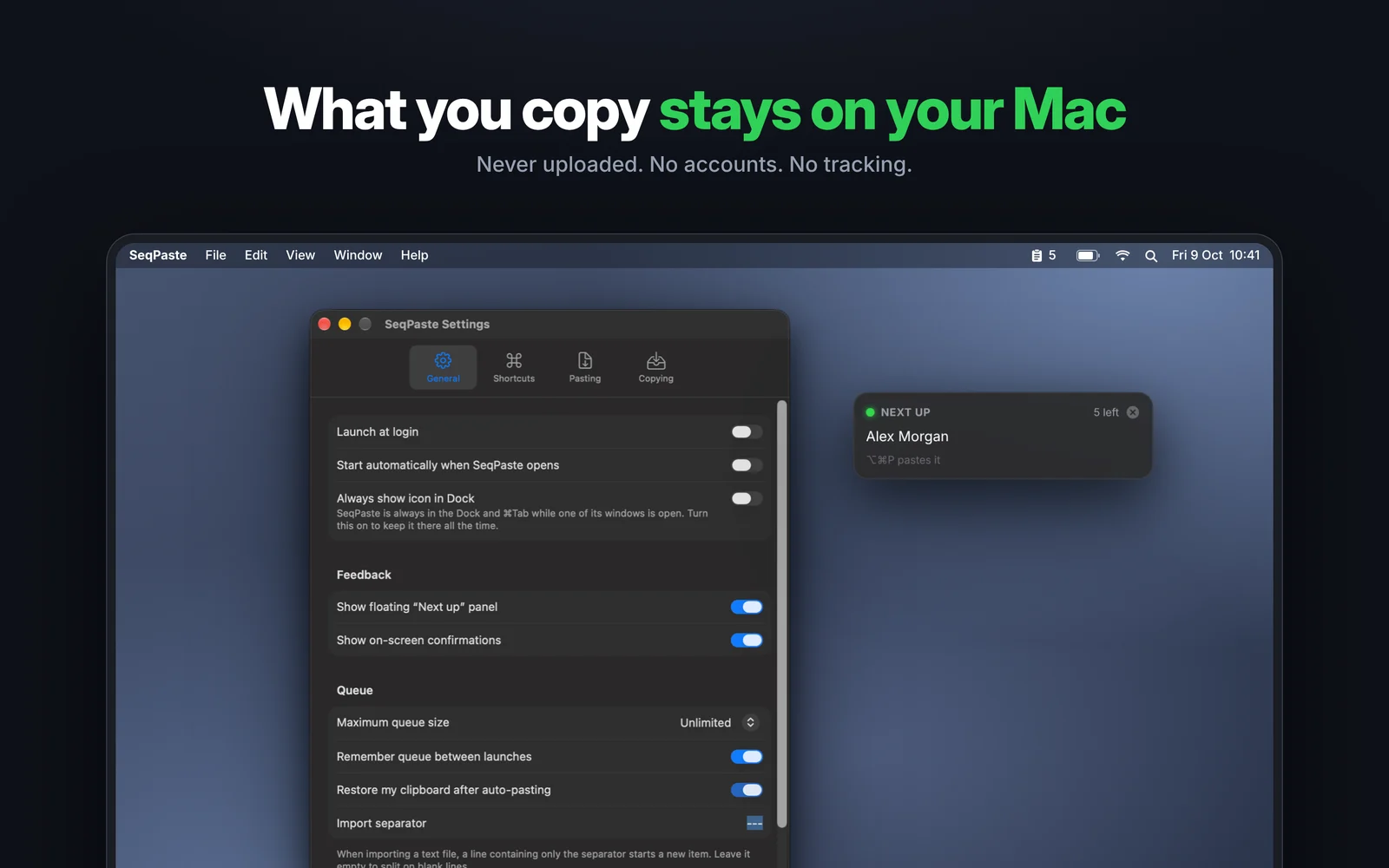
What you copy stays on your Mac.
Your clipboard is personal. SeqPaste never uploads it, never tracks you, and needs no account.
Never uploaded
Everything you copy is stored only on your Mac.
Skips passwords
Copies from password managers are ignored automatically.
Ignore any app
Choose apps whose copies are never saved.
Clear any time
Delete history or the whole queue with one click.
Every shortcut is yours to change.
⌥⌘Z⌥⌘P⌃⌘L⌥⌘⇧P⌥⌘B⌥⌘X⌥⌘OQuestions, answered.
What does SeqPaste do?
Your clipboard normally holds one thing at a time. SeqPaste turns it into a queue: copy several things, and paste them back one by one in the same order.
How is this different from a clipboard history app?
History apps make you search and pick each item. SeqPaste remembers the order, so you just press one shortcut again and again and the right thing is pasted every time.
Does it work with images, formatted text and files?
Yes. SeqPaste keeps every version of what you copy, so each app gets what it supports: formatting in Pages or Mail, plain text in Terminal, file paths where files can't be pasted.
Why does Auto-Paste need a permission?
To press ⌘V or type for you, macOS requires Accessibility access. SeqPaste only sends keystrokes when you press a paste shortcut or button. Manual Paste works with no special permission.
Is my clipboard data private?
Yes. What you copy stays on your Mac and is never uploaded. There are no accounts and no tracking, and copies from password managers are skipped automatically.
Which Macs are supported?
SeqPaste requires macOS 15.5 or later and runs natively on Apple silicon and Intel Macs.
Coming soon to your Mac.
SeqPaste is coming soon to the Mac App Store. Turn your clipboard into a queue in seconds.
Coming Soon to the Mac App StoreComing Soon to Mac